
GRUBL™ 4D Live Wallpapers + AI
TarrySoftPersonalization
4.78.84K Reviews
- Version
- 3.6.18
- Installs
- 10.00M
- Age Rating
- Everyone
Screenshots
Our Review of GRUBL™ 4D Live Wallpapers + AI
 Analysis by Appyee
Sharing a phone at home can make a wallpaper app feel less like a private style choice and more like a small piece of household coordination. One person may want a calm lock screen, another may enjoy animated art, and a child borrowing the device may tap around out of curiosity. I find GRUBL most useful when everyone treats the wallpaper as a personal choice for the device’s usual user, rather than assuming it can manage separate household profiles.
One phone, several tastes
In a shared-device situation, a good routine is to preview a wallpaper together and agree on one that suits the person who uses that phone most. That keeps the decision simple: the app is for changing how the screen looks, not for coordinating multiple users or enforcing different preferences. If household members frequently switch between separate tastes, the built-in wallpaper settings or a static image may be less fuss than repeatedly choosing a new animated design.
A practical example: when I lend my phone to someone for a few minutes, I would rather have the wallpaper already set than leave the app open for them to browse. That is especially sensible if you do not want a curious tap to lead into unrelated content or purchase choices. I would explore the collection when I have time, then apply a choice deliberately instead of turning wallpaper selection into a group activity every time the phone changes hands.
Keep setup and spending deliberate
The app is free to download, but it includes in-app purchases, with listed items ranging from about fifty cents to around a hundred dollars. That spread is a good reason to check the purchase screen carefully before confirming anything, particularly if a child sometimes uses the device. I would not assume that a free download means every wallpaper or feature is free, and I would use the device’s own purchase safeguards where appropriate.
For a shared phone, I would also keep the setup boundary clear: choose the wallpaper, apply it, and close the app before handing the device over. That small habit is useful because personalization apps invite browsing, while a borrowed phone is often meant for a specific task. It avoids confusion about who selected a design and helps prevent accidental changes without pretending the app offers household controls.
Choosing together without expecting family tools
GRUBL can give a household plenty to look at, but it is not a family organizer. I would not choose it expecting separate profiles, shared approval settings, or a way to coordinate wallpapers across several devices. If everyone has their own phone, each person can make an independent choice; if there is one shared phone, agree on who gets to decide and keep the selection process straightforward.
One useful approach is to let the main user shortlist a few options, then ask other regular users which one they prefer. A moving design that looks exciting in a quick preview can feel busy when it is seen all day, so living with a choice for a little while is more informative than picking the most dramatic thumbnail. If it becomes distracting, switching to a quieter image—or to a still wallpaper—may be the better household compromise.
Age, trust, and everyday use
The app is rated for Everyone, which makes it broadly suitable in age terms, but that rating does not replace ordinary supervision around browsing or purchases on a shared device. I would treat the creative content as something to explore with sensible boundaries, especially when the phone belongs to an adult and is occasionally handed to a younger family member.
GRUBL is from TarrySoft, and its focus is visual personalization rather than messaging or social coordination. That distinction matters: you can enjoy changing the screen without needing to make it a family account or share personal information just to settle on a wallpaper. For children using a parent’s phone, I would still handle the selection and any purchase decisions myself rather than relying on the app to separate adult and child use.
Who will enjoy it at home
I think it suits households where one person likes changing the look of a phone and others enjoy occasionally helping choose a design. It is also a pleasant option for a personal device that is shown around often: a lively background can be an easy conversation starter without changing how anyone uses the phone. People who prefer a quiet, consistent screen, need a tightly controlled shared-device setup, or dislike browsing choices will probably be happier with the wallpaper tools already on their phone.
As a personalization app, it offers a different experience from the usual static wallpaper picker. The phone’s built-in options are typically the simplest route for setting a photo or a plain background, while GRUBL is aimed at people who want motion, depth, and a broader stream of visual choices. That extra variety is its appeal, but it also means more to browse and a greater chance of choosing something that feels distracting after the novelty wears off.
Hey there! So, I recently got my hands on this cool app called GRUBL™ 4D Live Wallpapers + AI, and let me tell you, it's a game-changer for anyone who loves personalizing their phone. Let’s dive into what makes this app a must-have and why you might want to give it a whirl.
First Impressions: A Visual Delight
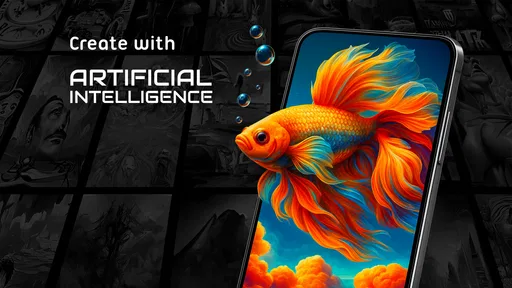
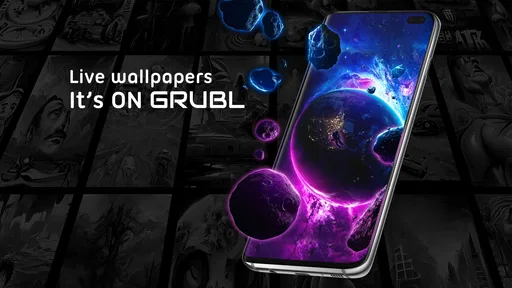
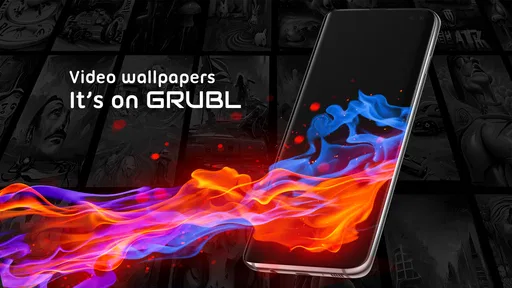
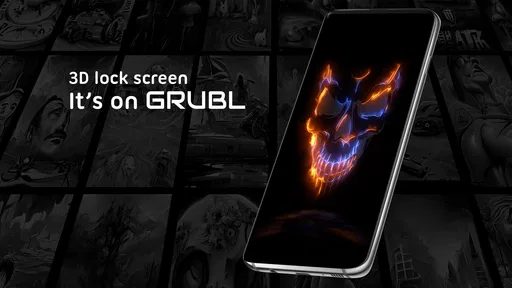
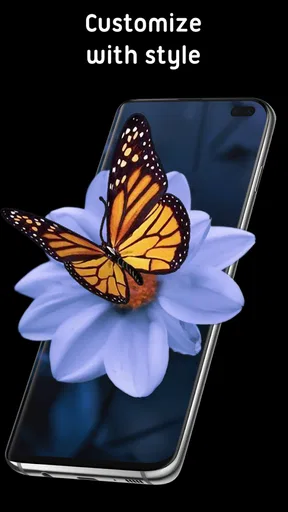
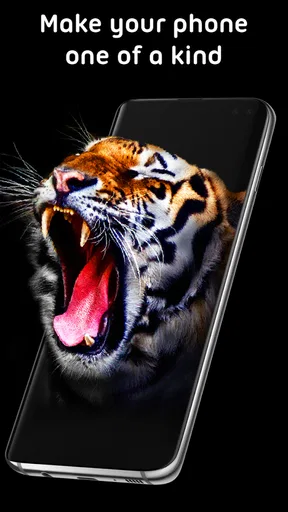
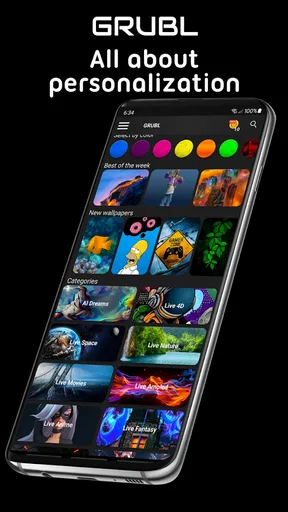
Opening the app for the first time felt like stepping into a digital art gallery. The interface is sleek and intuitive, making it super easy to navigate through the vast collection of wallpapers. I’ve tried my fair share of wallpaper apps, but GRUBL stands out with its unique 4D effects. It’s not just about pretty pictures here; the wallpapers actually move and interact based on your phone’s motion sensors. Talk about bringing your screen to life!
Features Galore
One of the things I love most about this app is the sheer variety it offers. Whether you're into abstract designs, nature scenes, or futuristic landscapes, there’s something for everyone. The app categorizes these wallpapers nicely, so you can easily find what suits your mood or style. Plus, the AI integration is pretty nifty. It learns your preferences over time, suggesting wallpapers that align with your tastes.
Beyond aesthetics, there's also a practical side. The app optimizes wallpapers to ensure they don’t drain your battery, which is always a plus for live wallpapers. I’ve had issues with battery life in the past, but not with this app.
Ease of Use
Setting up a wallpaper is as simple as it gets. Just find one you like, tap on it, and apply. Boom, your phone looks brand new! I also appreciate the ability to preview wallpapers before committing. It’s these little touches that make the whole experience feel seamless and enjoyable.
Community and Creativity
Another cool feature is the community aspect. Users can upload their own creations, and let me tell you, some people are incredibly talented. Browsing through user-generated content is inspiring and gives you a ton of unique options that you won't find anywhere else. It’s like having an endless gallery of art right in your pocket.
Any Downsides?
No app is perfect, right? While I genuinely enjoy using GRUBL™, there are a couple of things to note. First, the app is free, but it does come with ads. They’re not overly intrusive, but if you’re someone who gets annoyed by ads, you might consider the premium version. The premium option not only removes ads but also unlocks exclusive wallpapers, which might be worth it if you’re all about customization.
Secondly, since the app uses quite a bit of animation, older devices might experience some lag. I tested it on a friend’s older phone, and while it worked, the animations weren’t as smooth as on newer models.
Making the most of the moving backgrounds
For me, the best way to judge a live wallpaper is to use it in the places where I actually look at my phone: checking the time, glancing at notifications, or returning to the home screen between tasks. A dramatic animation can impress at first, but a design with clear shapes and enough visual breathing room is easier to live with. I’d preview a few choices, then use one through a normal day before deciding whether it deserves to stay.
The motion effect is also a matter of taste. If you enjoy a subtle sense of depth, it can make a familiar screen feel fresh without changing your icons or layout. If movement catches your eye when you are trying to focus, a static background is a better fit. I would treat animated wallpaper as decoration, not as a feature that needs to be active all the time, and switch back when the visual activity stops feeling enjoyable.
AI suggestions and the human touch
The AI element is most appealing if you like discovering designs rather than searching for one exact image. Suggestions can help narrow the field when you are unsure what you want, but I would still browse with a clear preference in mind—perhaps color, mood, or subject—rather than expecting the app to understand every reason a wallpaper works for you. A recommendation can be a useful starting point; the preview and your own judgment should make the final call.
That distinction is helpful if several people are taking turns looking through the app. Suggestions reflect an individual taste, so they may not represent what everyone sharing a device wants. I would use them to find options, not as a household vote or a guarantee that the next recommendation will suit every user. For a personal phone, the feature can make browsing feel less repetitive; for a shared phone, a quick conversation remains the more reliable way to choose.
When a simpler wallpaper app is better
If all you want is to put a family photo behind your icons and leave it there, the phone’s standard wallpaper settings are likely quicker. They avoid the extra browsing that comes with a large collection and keep the choice firmly in your own photo library. GRUBL makes more sense when you specifically want animated scenes, depth effects, or a steady supply of changing visual ideas rather than a single image.
There is a trade-off in that richer experience: live content can ask more of a device than a still picture, and the feel of an animation depends on how well the phone handles it. The app’s battery-conscious approach is welcome, but I would still pay attention to how my own phone behaves, especially if it is older or already busy. If the screen feels less responsive or the motion becomes distracting, choosing a simpler background is a sensible adjustment, not a failure to use the app properly.
Availability and fit
As a free personalization app, it has a 4.7 average from around 408,000 ratings and more than 10 million installs. It is rated Everyone, runs on Android 8.0 or newer, and version 3.6.18 is the current version. Those details make it easy to see whether it fits an Android device before spending time exploring it; the in-app purchase range is another reason to browse thoughtfully if you intend to keep everything free.
The volume of ratings suggests that plenty of people enjoy this kind of customization, but popularity alone does not make animated wallpapers right for every phone or person. I would recommend trying the free experience first and deciding based on how the visuals feel in daily use. Someone who wants a lively screen and enjoys exploring designs has a clear reason to give it a chance. Someone who values a distraction-free display, wants only a personal photo, or needs reliable performance on an older handset may prefer the simpler built-in option.
Final Thoughts
All in all, GRUBL™ 4D Live Wallpapers + AI is a fantastic way to breathe new life into your device. The combination of stunning visuals and user-friendly features makes it an easy recommendation for anyone looking to spice up their phone’s appearance. Whether you’re a tech enthusiast or just someone who loves a bit of flair, this app has something to offer.
So go ahead, give it a try and see how it transforms your home screen into a dynamic canvas of creativity and color. Don’t forget to check out the community creations—you might just find your next favorite wallpaper there!
Verdict
Strengths of GRUBL™ 4D Live Wallpapers + AI
- Stunning 4D animated wallpapers.
- Wide variety of categories available.
- User-friendly interface for customization.
- Offers AI-generated wallpaper options.
- Regular updates with new content.
Limitations of GRUBL™ 4D Live Wallpapers + AI
- Some wallpapers require payment.
- May drain battery faster.
- Needs internet for full functionality.
- Ads can be intrusive at times.
- Limited features in free version.
Other Releases by TarrySoft
View All
Pixel 4D™ Live Wallpapers
Personalization4.7

Wallpapers HD - Backgrounds 4K
Personalization4.8

Photo Collage Maker & Editor
Photography4.7

Video Compressor & Converter
Video Players & Editors4.5
Similar Picks in This Category
View All
Microsoft SwiftKey AI Keyboard
SwiftKey4.3

Wallpapers
Google LLC4.1

Zedge™ Wallpapers & Ringtones
Zedge4.7

Yandex Browser with Alice AI
Direct Cursus Computer Systems Trading LLC4.3

Ringtone Maker:create ringtone
Big Bang Inc.4.7

Fonts Keyboard
Fonts Keyboard3.9
Frequently Asked Questions
What features does GRUBL™ 4D Live Wallpapers + AI offer?
GRUBL™ 4D Live Wallpapers + AI provides a dynamic range of 4D live wallpapers that utilize AI to enhance visual effects. The app offers a plethora of themes including nature, abstract, and futuristic designs. It also supports customizations, allowing users to blend their own photos with AI animations for a personalized look.
Is GRUBL™ compatible with all Android and iOS devices?
GRUBL™ is designed to be compatible with most Android and iOS devices. However, to fully enjoy the 4D effects, it's recommended to use it on devices with newer operating systems and sufficient hardware capabilities. Users with older devices might experience limitations in the animation quality or app performance.
Does GRUBL™ drain battery life quickly?
While GRUBL™ 4D Live Wallpapers + AI is optimized for efficiency, using animated wallpapers can consume more battery compared to static images. The app includes settings to adjust animation intensity, which can help manage battery usage. It's advisable to monitor your battery if you notice a significant drain.
Are there any costs associated with using GRUBL™?
GRUBL™ offers a free version with access to a selection of wallpapers. However, premium features, including exclusive wallpapers and advanced customization options, require in-app purchases. The app frequently updates its content, ensuring users get value for their investment in the premium version.
How easy is it to set up and use GRUBL™?
Setting up GRUBL™ is straightforward. After downloading the app, users can browse through categories and preview wallpapers before applying. The user-friendly interface allows for easy navigation and customization. Tutorials and FAQs within the app provide guidance for new users, ensuring a seamless experience.
